Custom Engineering / Customization

Keyboard & workstation customization

Your workflow. Your keyboard.

Adapt the commands, branding, product color, cable length, protection, and layout of your MMI keyboard to the people, software, and workstation it serves.

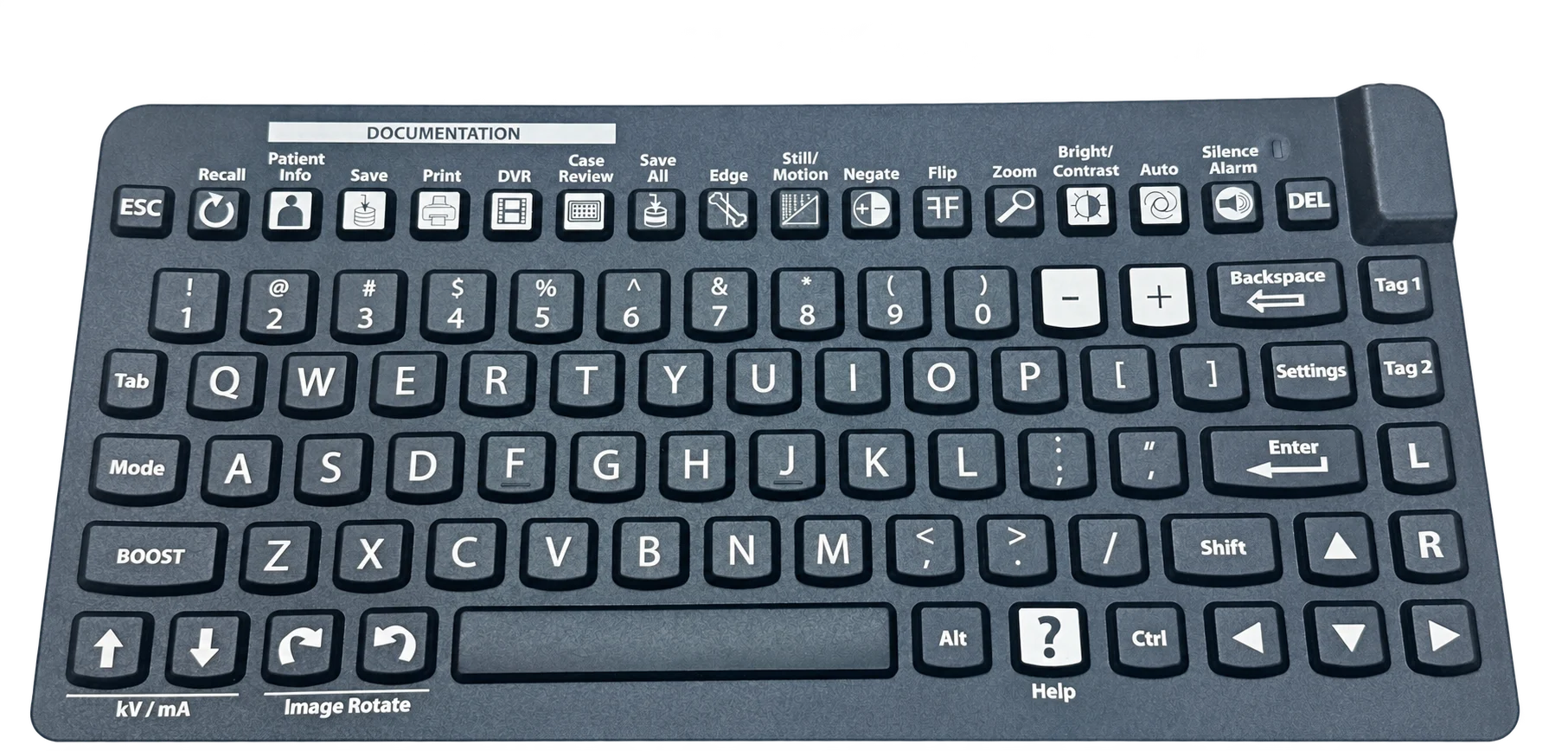
Custom keyboard with dedicated documentation, imaging, and workflow shortcut keys

01 / Workflow improvements & integrations

Put frequent commands within reach.

Customize keyboard hotkeys and shortcut commands around the actions your team performs most often. Bring application shortcuts and workflow controls to dedicated keys so users can move through routine tasks with fewer steps.

  • Map keys to commonly used application commands or key combinations.
  • Group related controls around the sequence of your workflow.
  • Explore custom key legends that make each function easy to identify.

Share the software, existing shortcuts, and expected behavior for each key. MMI can evaluate the keyboard configuration and integration approach for your application.

Open the right screen

Bring frequently used views or functions to a dedicated shortcut supported by your application.

Reduce repeated steps

Assign a frequent command or key combination to an accessible control.

Make controls familiar

Align key labels and placement with the terminology and actions your operators use.
Fit the product to the workstation

Customize more than the commands.

Coordinate the keyboard’s appearance, connections, protection, and physical layout with your application.

  • 02 / Custom branding

    Add your logo.

    Add a one-color facility, health system, or OEM logo for a coordinated, purpose-built workstation. Carry your identity onto the keyboard without changing the way your team works.

    • Provide your logo artwork and preferred placement.
    • Coordinate branding across a facility or equipment program.
    • Confirm model compatibility and quantity requirements with MMI.
  • 03 / Custom cable lengths

    Use the length your workstation needs.

    Non-standard cable lengths simplify cable management on carts, wall mounts, and fixed workstations. Reduce excess cable and tangles while allowing the reach your installation requires.

    • Specify the cable length and connection needed.
    • Plan the route from the keyboard to the device.
    • Allow room for tray movement, adjustments, and service access.
  • 04 / Custom waterproof or water-resistant models

    Match protection to the environment.

    Work with MMI on a custom waterproof or water-resistant keyboard model for your application. Define the exposure and cleaning requirements so the design can be evaluated against how the device will actually be used.

    • Describe spills, splashes, washdown, or other liquid exposure.
    • Identify cleaning methods, chemicals, and materials requirements.
    • Share any required performance criteria or testing needs.
  • 05 / Custom keyboard layouts

    Arrange the keys around the work.

    Explore a custom keyboard layout for your users, equipment, and available space. Align the key arrangement, legends, and controls with your workflow and the workstation’s physical requirements.

    • Define key placement, grouping, and application-specific legends.
    • Share dimensions, mounting requirements, or a layout drawing.
    • Identify any integrated pointing or special control needs.
  • 06 / Custom product colors

    Choose a color that fits your application.

    MMI can provide custom colors for our products to coordinate with your brand, equipment, or workstation. Discuss your preferred color and product model with our team to define the requirements for your project.

    • Share a color reference, brand color specification, or physical sample.
    • Coordinate product colors across a facility or OEM equipment program.
    • Confirm available materials, model compatibility, and quantity requirements with MMI.

Start with your requirements

Tell us what needs to work differently.

Bring an existing MMI model, a workstation challenge, or a new product concept. Our local (USA) contacts and international design and engineering team can help define the next step.

Start a Customization Request

Availability depends on the model and project requirements. Minimum order quantities and non-recurring engineering (NRE) fees may apply.

A keyboard built around your application.

Let’s define the configuration that fits your team and workstation.

Your privacy choices

We use Google Analytics to understand how the site is used, and Zoho SalesIQ for chat. With your permission, marketing partners (Leadberry, ZoomInfo, Zoho CRM) also learn which companies visit, which some laws treat as selling or sharing personal information.

Read our Privacy Policy