
Identify the product
Use the Sealed, Washable, or Oil-Resistant instructions that match your MMI model.
Cleaning & disinfecting
MMI products are engineered for repeated cleaning. Use the instructions for your product family, follow your facility protocol, and always keep the cable connector dry.
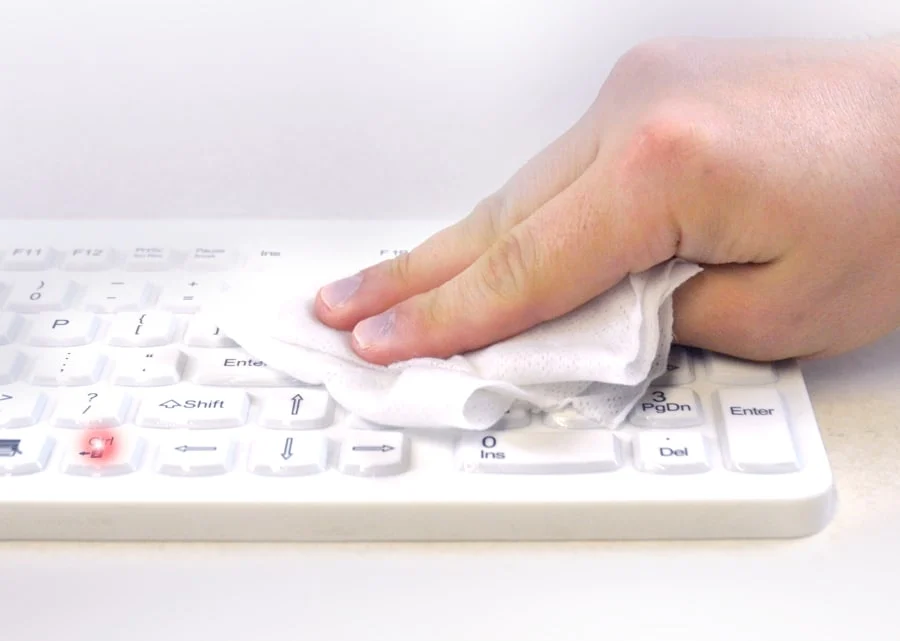
Clean at the workstation Supported keyboard models can be locked while connected so routine cleaning does not create unintended keystrokes.
Prepare first
Confirm the model, use its user manual when available, and follow the cleaning product manufacturer's directions.
Use the Sealed, Washable, or Oil-Resistant instructions that match your MMI model.
Activate the model's TruLock function before cleaning while connected to a computer.
Use a cloth, sponge, or soft bristle brush. Do not use abrasive pads or cleaners.
Never place a USB or PS/2 connector in fluid, even when the product itself is washable.
Routine cleaning
These steps apply broadly to MMI keyboards and mice. Refer to the product user manual for model specific instructions.
Use TruLock™ or the model's supported lock command. If the product is not lockable, follow facility procedure before cleaning.
Wipe, brush, or spray the surface using only cloths, sponges, or soft bristle brushes.
Wipe dry with a clean cloth or allow the product to air dry according to the cleaning agent directions.
Use the same model specific command to unlock the keyboard, then confirm normal operation.
Model specific guidance
The locking method differs by product family. Confirm the exact model in the product user manual before cleaning while connected.
Keyboard lock method Press the left and right Ctrl keys together for three seconds. Repeat after cleaning to unlock.
Includes: Really Cool, Really Cool Touch, Slim Cool, Slim Cool Plus, E Cool, Mighty Mouse, and Petite Mouse.
Mice do not require a keyboard lock command. Keep the connector dry.
Supported keyboard lock method Press Fn + F11 briefly. Repeat after cleaning to unlock.
Includes: Very Cool, Y Cool, L Cool, and C Mouse Wireless.
D Cool: Press the down arrow and power button at the top of the keyboard to lock it. Repeat after cleaning to unlock.
Its Cool and Its Cool Wireless are not lockable. Follow the product manual and facility procedure.
Mice do not require a keyboard lock command.
Keyboard lock method Press the left and right Ctrl keys together for three seconds. Repeat after cleaning to unlock.
Includes: Really O'Cool, So Cool, and Mighty O'Mouse.
Mice do not require a keyboard lock command.
Use only approved methods and cleaning chemistry; keep the connector dry.
Reusable barriers
Follow the Fitted Drape user manual and your facility's validated procedure for the approved sterilization cycle and parameters.
Remove the Fitted Drape from the equipment and inspect it for tears, punctures, or other damage. Do not reuse a damaged drape.
Remove visible soil with a soft cloth and a facility approved cleaning product that is compatible with the Fitted Drape.
Rinse when required by the cleaning product label, then allow the Fitted Drape to dry completely before sterilization.
Use only the sterilization method, temperature, exposure time, and drying instructions specified in the Fitted Drape user manual.
Material compatibility
Use facility approved products within the listed chemistry and concentration limits, and follow the cleaning product label.
Protect product life
Use only the methods and cleaners approved for the product. When uncertain, contact MMI before cleaning.
Common questions
Yes, supported models can be locked while connected so cleaning does not create unintended keystrokes. Use the lock command listed for the product family and confirm it in the model's user manual. Its Cool and Its Cool Wireless are not lockable.
Use only the cleaning method approved for the exact product. Regardless of product rating, never immerse the USB or PS/2 connector.
Select a facility approved product within the supported chemistry and concentration limits, follow its manufacturer instructions, and review the MMI approved cleaner list. Test on a small group before broad adoption.
Do not use temperature or pressure sterilization unless the exact product's model specific instructions explicitly permit it. Fitted Drapes and other accessories have separate instructions from keyboards and mice.
MMI can help confirm the right instructions for your product and cleaning protocol.